Difference between revisions of "Visual 200"
(Add images) |
m (infobox) |
||
| Line 27: | Line 27: | ||
| status_line = | | status_line = | ||
| char_matrix = 7x9 | | char_matrix = 7x9 | ||
| − | | char_cell = | + | | char_cell = 9x12 |
| graphic_type = | | graphic_type = | ||
| graphic_resolution = | | graphic_resolution = | ||
| − | | cpu = | + | | cpu = Zilog Z80 |
| − | | rom = | + | | rom = 2 KB to 8 KB |
| − | | ram = | + | | ram = 4 KB |
| personality1 = ADDS Consul 580 | | personality1 = ADDS Consul 580 | ||
| personality2 = DEC VT52 | | personality2 = DEC VT52 | ||
| Line 45: | Line 45: | ||
| terminfo = | | terminfo = | ||
}} | }} | ||
| − | The {{PAGENAME}} terminal from Visual Technology was introduced in July 1979.{{Computerworld | + | The {{PAGENAME}} terminal from Visual Technology was introduced in July, 1979.{{Computerworld |
| id=erK4_MHuqP8C | | id=erK4_MHuqP8C | ||
| page_prefix=RA1-PA | | page_prefix=RA1-PA | ||
Revision as of 02:03, 23 May 2020
| Visual 200 | |
|---|---|
| Manufacturer | Visual |
| Model | 200 |
| Lifetime | |
| Introduced | July, 1979 |
| Communication | |
| Interfaces |
RS-232C, 20 mA current loop |
| Baud Rates | 110, 200, 300, 1200, 2400, 4800, 9600, 19200 |
| Display | |
| Size | 12-inch |
| Refresh Rates | 60 Hz, 50 Hz |
| Character Modes | |
| Resolution | 80x24 |
| Matrix | 7x9 |
| Cell | 9x12 |
| Firmware | |
| CPU | Zilog Z80 |
| ROM | 2 KB to 8 KB |
| RAM | 4 KB |
| Personalities |
ADDS Consul 580, DEC VT52, Hazeltine 1500, Lear Siegler ADM-3A |
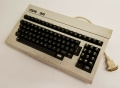
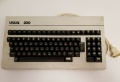
The Visual 200 terminal from Visual Technology was introduced in July, 1979.[1][2][3]
Manx
- Visual 200 Video Display Terminal Maintenance Manual, January, 1980
- Visual 200 Video Display Terminal Reference Manual, March, 1980
Images
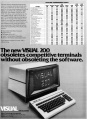
Advertisement
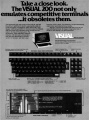
Advertisement




References
- ↑ Visual Technology advertisement, Computerworld, July 30, 1979, pg. 51
- ↑ Visual Technology advertisement, Computerworld, August 13, 1979, pg. 44
- ↑ Visual Technology advertisement, Computerworld, November 26, 1979, pg. 54
| This article is a stub. You can help the Terminals Wiki by expanding it. |

